Tabs tell only half the story.
A flight tracker doesn’t know which of your travelers are on board.
TravelHub brings together tools for travel professionals. Start with Flight Ops, our first module for flight monitoring and operational coordination.
Free demo. No account or credit card.A flight moves. A transfer needs checking. Three travelers need a clear answer. Turn an isolated update into a shared plan.
Explore demoTry a scenario. These are fictional events, not live flight data.
A flight tracker doesn’t know which of your travelers are on board.
“Someone is handling it” is hard to hand over to the next shift.
Give the action a status, a person and a place in the history.
Enter a flight number and its departure date, or import a UTF-8 CSV. Add route codes when needed to distinguish multiple legs. An occurrence is a flight on a given date.
Add only the traveler information you need: name, optional email and an internal reference. Associate a group and describe affected operations.
The monitoring engine compares available provider snapshots and deduplicates meaningful changes. Information may be delayed or missing. The public demo uses deterministic fictional data.
Give an incident an owner, create tasks, prepare a communication draft and mark the incident resolved once your team has completed its work. No automatic rebooking or traveler messaging takes place.
Dated occurrences, latest available status and changes in one flight board.
Connect travelers, internal references and group operations to the right flight.
Assign an incident, track tasks and leave a useful record for the next shift.
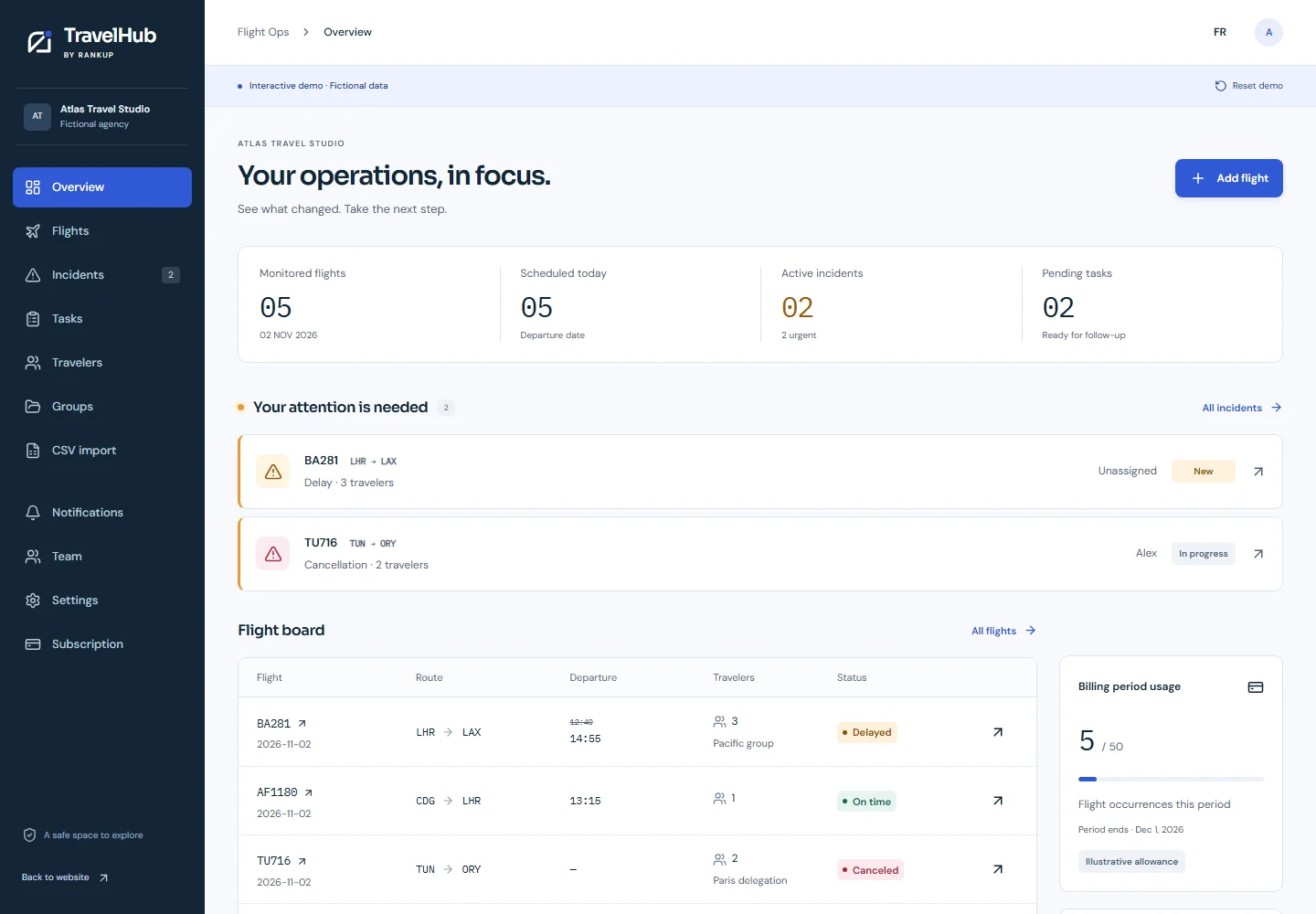
Fictional workspace preview. Explore the working interactive demo.
Organization-based access. Team roles. Minimal traveler information. Payment details handled by Paddle when billing is activated.
One plan for the everyday work of monitoring flights and coordinating a response. Clear limits, monthly billing.
See pricingFor small teams with a lot to coordinate.
Subscriptions are not open for purchase yet. Monthly renewal when enabled. Applicable tax is calculated at checkout.
No. It is B2B software for monitoring information and coordinating follow-up. Your agency retains responsibility for bookings, suppliers and traveler decisions.
No instant or complete coverage is guaranteed. Third-party information can be delayed, incomplete, stale or unavailable. The interactive demo is entirely fictional.
50 dated flight occurrences per billing period, up to three users, the dashboard, CSV import, incidents, tasks, history and email alerts when configured. Several travelers can share one occurrence.
No. Traveler messages are drafts that need human review and sending through your chosen channel. Team notification emails use a separate delivery queue when configured.
See how your team could handle it. No account needed.